
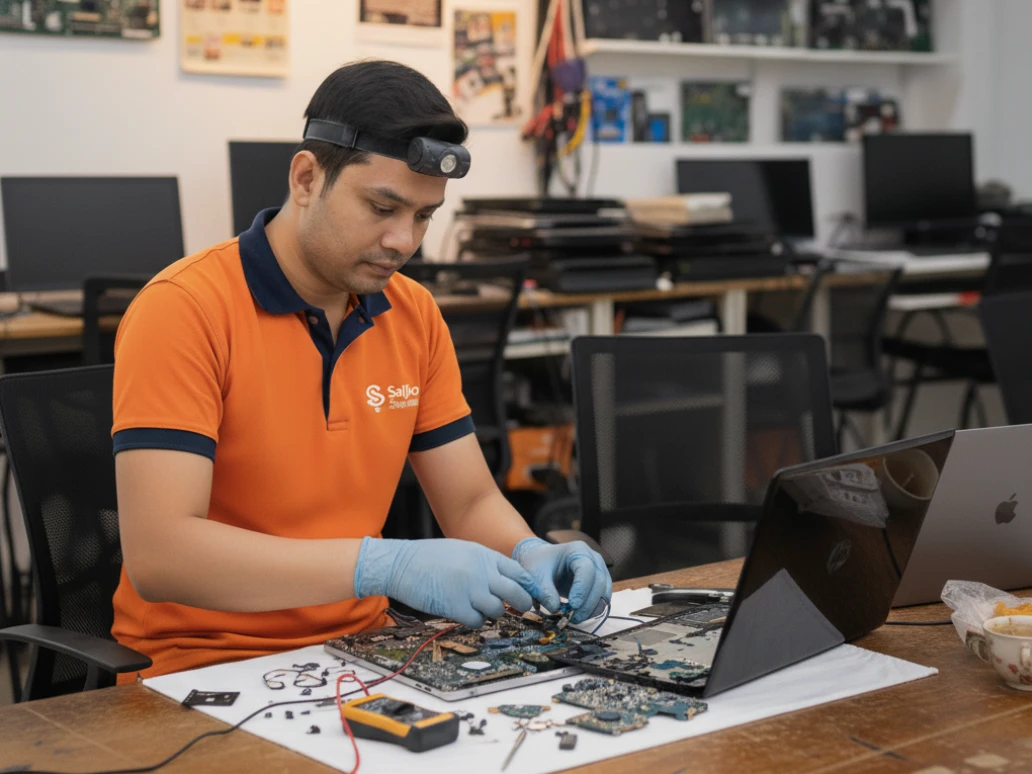
Introduction
Your laptop suddenly becomes slow right before an important office meeting.The fan starts making loud noise during online classes. Or worse the laptop doesn’t turn on at all. Sounds familiar?
These are some of the most common laptop problems Nepal users face every day. Whether you use your laptop for work, study, gaming, freelancing, or entertainment, even a small issue can interrupt your entire day.
In Nepal, laptops often face extra stress because of:
Dusty environments
Frequent power fluctuations
Long usage hours
Lack of regular servicing
The good news?
Many laptop problems start with small warning signs. If you identify them early, you can avoid expensive repairs later.
In this guide, we’ll explain the most common laptop issues in a simple and practical way — along with easy fixes and when it’s time to call experts for laptop repair Kathmandu services.
1. Laptop Becoming Slow? Here’s Why
One of the most frustrating problems is a slow laptop.
Apps take forever to open, the system freezes, and even simple tasks feel difficult.
Why Does This Happen?
Usually because of:
Too many unnecessary files
Full storage space
Viruses or malware
Too many startup apps
Old hard drive or low RAM
Sometimes laptops become slow simply because they haven’t been serviced for years.
Simple Laptop Slow Fix Tips
Before panicking, try these simple solutions:
✅ Delete Unnecessary Files
Old downloads, duplicate photos, and unused software can slow your laptop down.
✅ Disable Startup Programs
Many apps start automatically when the laptop turns on and consume memory.
✅ Update Your System
Outdated Windows or drivers can reduce performance.
✅ Use Antivirus Software
Viruses are one of the biggest reasons behind slow laptops.
✅ Upgrade to SSD
If your laptop still uses HDD storage, upgrading to SSD can dramatically improve speed.
👉 SSD upgrades are one of the best laptop slow fix solutions available today.
2. Laptop Heating Like an Iron?
If your laptop becomes extremely hot after short usage, don’t ignore it.
Overheating is very common in Nepal, especially during summer and in dusty environments.
Signs of Overheating
Laptop feels very hot
Loud fan noise
Sudden shutdowns
Lagging while working or gaming
Main Causes
Dust blocking the cooling fan
Dry thermal paste
Poor airflow
Heavy software or gaming use
How to Reduce Overheating
✅ Clean Air Vents
Dust buildup blocks airflow and traps heat.
✅ Use Laptop on Flat Surface
Beds and pillows block cooling vents.
✅ Avoid Continuous Heavy Usage
Give your laptop short breaks during gaming or editing.
✅ Get Internal Cleaning
Professional cleaning removes dust from internal fans and components.
👉 Ignoring overheating can damage the motherboard and processor permanently.
3. Battery Draining Too Fast?
Does your laptop battery die quickly even after full charging?
This is another common issue among Nepali users.
Why Battery Problems Happen
Battery aging
Bright screen settings
Too many background apps
Charging while gaming continuously
Quick Battery Saving Tips
✅ Lower Brightness
Screen brightness consumes a lot of power.
✅ Close Unused Apps
Background apps continuously use battery.
✅ Turn Off Bluetooth/Wi-Fi
When not needed, disable them.
✅ Avoid Cheap Chargers
Low-quality chargers can damage battery health.
👉 If battery backup becomes extremely poor, replacement may be necessary.
4. Internet Keeps Disconnecting?
Slow or unstable Wi-Fi can make online work very stressful.
Common Reasons
Weak router signal
Driver problems
Network adapter issues
Simple Fixes
✅ Restart Router and Laptop
This solves many temporary issues.
✅ Forget and Reconnect Wi-Fi
Reconnect the network again.
✅ Update Network Drivers
Outdated drivers may cause connection problems.
👉 If the problem continues, your laptop may need technical diagnosis.
5. Virus Problems Are More Common Than You Think
Many people download cracked software, games, or unsafe files without realizing the risk.
This often leads to malware infections.
Signs Your Laptop Has Virus
Sudden slowness
Pop-up ads
Unknown apps installed
Frequent crashing
How to Stay Safe
✅ Install Trusted Antivirus
Always keep antivirus updated.
✅ Avoid Unsafe Downloads
Download software only from trusted websites.
✅ Don’t Click Unknown Links
Especially from emails or random websites.
👉 Professional virus removal helps protect important data and files.
6. Keyboard or Touchpad Not Working?
This problem is especially common after dust buildup or accidental liquid spills.
Common Causes
Dirt under keys
Water damage
Loose internal connection
What You Can Try
Restart the laptop
Clean keyboard gently
Update keyboard drivers
👉 If water damage occurred, avoid turning the laptop on repeatedly.
7. Laptop Screen Problems
Screen issues are stressful because they directly affect usability.
Common Screen Problems
Black screen
Flickering display
Cracked screen
Colored lines on display
Why It Happens
Physical impact
Loose display cable
Graphics card issues
👉 Screen replacement should always be handled carefully by professionals.
8. Loud Fan Noise? Your Laptop Needs Attention
A noisy fan usually means your cooling system is struggling.
Causes
Heavy dust buildup
High CPU usage
Damaged cooling fan
Best Solution
Internal cleaning and cooling system servicing.
👉 This is one of the most ignored laptop problems Nepal users face.
9. Storage Full Warning?
When storage becomes full, your laptop becomes slower and less responsive.
Easy Solutions
Delete unnecessary files
Remove duplicate videos/photos
Use cloud storage
Upgrade storage capacity
👉 SSD upgrade improves both speed and storage efficiency.
10. Laptop Not Turning On?
Probably the most stressful situation. 😥
Possible Reasons
Charger issue
Battery failure
Motherboard damage
Internal hardware fault
First Things to Check
Try another power socket
Check charger properly
Remove battery and reconnect (if removable)
👉 If nothing works, professional diagnosis is necessary.
Why Regular Laptop Servicing Matters
Many laptop problems can be prevented with regular maintenance.
✅ Benefits of Laptop Servicing
Better speed and performance
Reduced overheating
Longer battery life
Fewer repairs
Improved lifespan
👉 Experts recommend servicing every 6–12 months.
Why Choose Sajilo Sewa for Laptop Repair Kathmandu?
Sajilo Sewa provides reliable and professional laptop servicing across Kathmandu.
Our Laptop Services Include
Laptop cleaning & servicing
SSD and RAM upgrades
Virus removal
Keyboard repair
Screen replacement
Battery replacement
Why Customers Trust Sajilo Sewa
Verified technicians
Doorstep service
Transparent pricing
Fast response time
30 days service warranty
👉 Easy booking through Sajilo App with promo codes and loyalty points.
Final Thoughts
Laptop problems don’t appear suddenly. Most devices show warning signs long before serious damage happens.
By understanding these common issues and acting early, you can save money, protect your important files, and extend your laptop’s life.
👉 If you are facing laptop problems Nepal, don’t wait until the device completely stops working.
👉 Book professional laptop repair Kathmandu services with Sajilo Sewa and keep your laptop running smoothly and safely.